

The iii Engine
How iii manages infrastructure for Motia through config.yaml modules
Motia is the application framework — you write Steps in TypeScript, Python, or JavaScript. The iii engine is the runtime that powers everything underneath. It manages queues, state storage, stream servers, cron scheduling, HTTP routing, observability, and the lifecycle of your application processes.
How Motia and iii Work Together
The iii engine reads a config.yaml file that declares which modules to load and how to configure them. It then starts and manages your Motia application through the ExecModule.
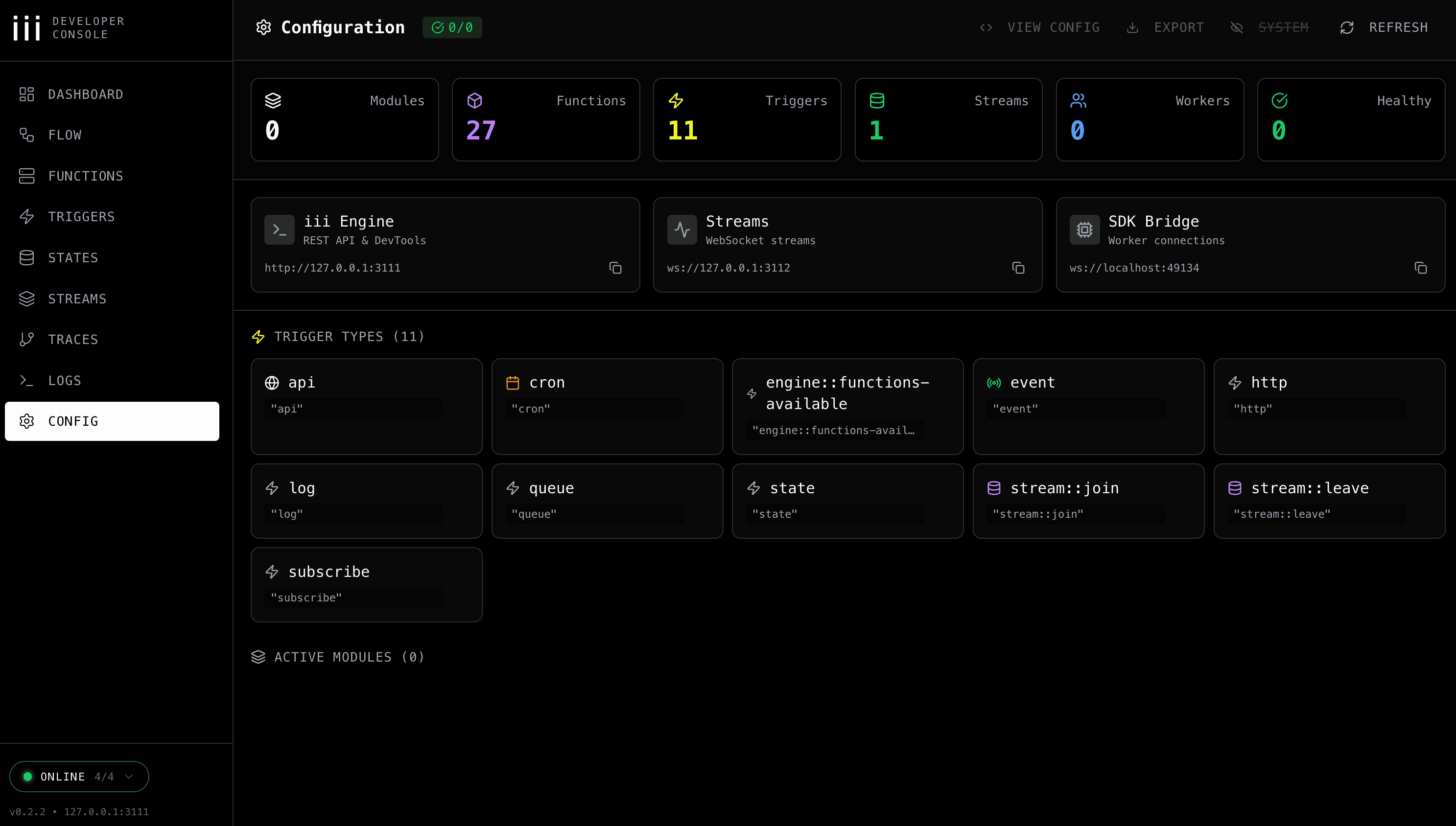
The iii development console gives you full visibility into the running engine — modules, functions, triggers, streams, and workers:
config.yaml
The config.yaml file is the single source of truth for all infrastructure configuration. It replaces the old motia.config.ts plugin system — no more JavaScript configuration for infrastructure concerns.
Core Modules
REST API Module
Serves HTTP endpoints defined by your Step triggers. Configures port, host, CORS, timeouts, and concurrency limits.
Queue Module
Manages message queues for async Step-to-Step communication via enqueue(). Supports built-in, Redis, and RabbitMQ adapters.
State Module
Key-value state storage grouped by namespace. Supports file-based, in-memory, and Redis adapters.
Stream Module
Manages real-time data streams with WebSocket support. Supports KvStore and Redis adapters.
Cron Module
Schedules and executes cron-based triggers.
PubSub Module
Internal publish/subscribe messaging between engine components.
OpenTelemetry Module
Distributed traces, metrics, and structured logs for observability.
Exec Module
Manages the lifecycle of your Motia SDK process. Watches files for changes and restarts on hot-reload.
The exec array lists the commands to run your SDK process. The watch array lists glob patterns — when matching files change, iii restarts the process automatically.
Adapter Swapping
Every module that manages data (queues, state, streams, cron, pubsub) supports multiple adapters. This lets you use lightweight local adapters during development and swap to production-grade infrastructure without changing your application code.
| Module | Local Adapter | Production Adapter |
|---|---|---|
| Queue | BuiltinQueueAdapter | RedisAdapter, RabbitMQAdapter |
| State | KvStore (file_based) | RedisAdapter |
| Stream | KvStore (file_based) | RedisAdapter |
| Cron | KvCronAdapter | RedisCronAdapter |
| PubSub | LocalAdapter | RedisAdapter |
To swap adapters, change the name field in config.yaml — no application code changes needed.
Environment Variable Interpolation
Use ${VAR:default} syntax in config.yaml for environment-specific values:
Multi-Runtime Projects
For projects that use both Node.js and Python, configure separate ExecModule entries:
Each runtime runs as an independent process managed by iii. Python developers do not need Node.js installed, and vice versa.
Running iii
Start the iii engine with:
This starts all configured modules and the Motia SDK process. iii handles hot-reloading, process management, and infrastructure lifecycle automatically.