

Command Line Interface (CLI)
Learn how to use the Motia CLI and the iii engine CLI to build, develop, and run your application
Motia projects use the motia-cli for scaffolding new projects, the Motia npm package for building Node.js projects, and the iii CLI for running the engine that powers everything.
Motia CLI (motia-cli)
The motia-cli scaffolds new Motia projects with support for Node.js, Python, or mixed language templates. Python developers don't need npm; Node.js developers don't need Python.
Install motia-cli
Or via Homebrew:
motia-cli create [name]
Scaffold a new Motia project with sensible defaults including config.yaml, example Steps, and the appropriate dependency files for your chosen language.
Interactive prompts will ask for:
- Project folder name — or pass it as an argument
- Language — Node.js (TypeScript), Python, or Mixed (both)
- iii installation — confirms you have the iii engine installed
The CLI downloads templates from the motia-iii-example repository and installs dependencies automatically (npm install for Node.js, uv sync for Python).
iii CLI
The iii engine is the runtime that manages all infrastructure modules (queues, state, streams, cron, HTTP) and your Motia application process.
Install iii
iii
Start the iii engine. By default it looks for config.yaml in the current directory.
iii -c <config-file>
Start the engine with a specific configuration file.
iii -v
Print the iii engine version.
During development, your package.json should have "dev": "iii" so that npm run dev starts the engine, which reads config.yaml and boots all configured modules including your Motia application via the ExecModule.
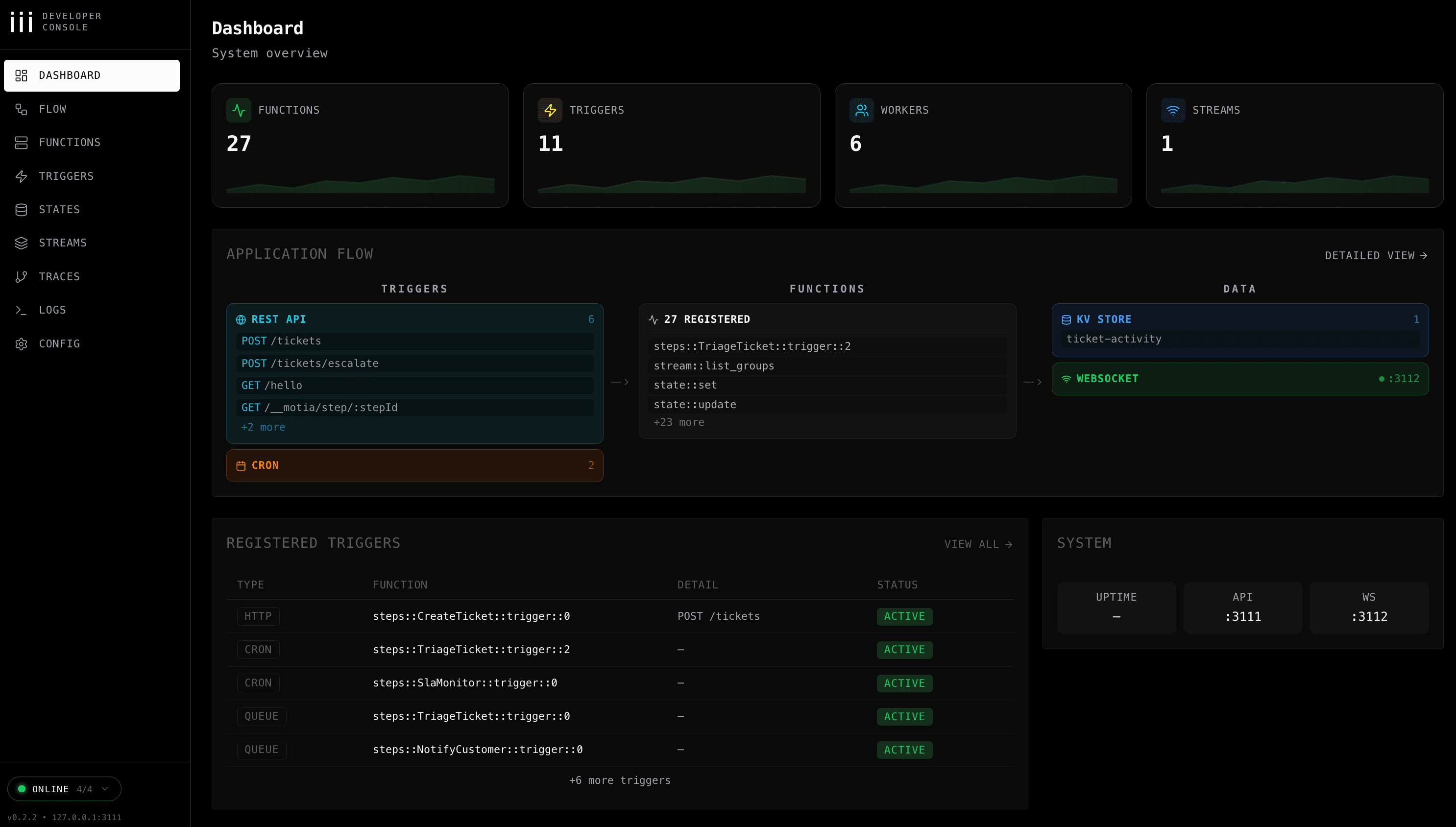
iii Console
The iii console provides a visual interface for building and debugging flows. Install and run it separately:
Then open http://localhost:3113/ to see flow diagrams, real-time logs, state inspection, and stream monitoring.
Motia Node.js Tools (npx motia)
For Node.js and mixed projects, the motia npm package provides build and development tools. Install it as a project dependency when you scaffold with motia-cli.
motia build
Build your project, generating an optimized production bundle in dist/.
This produces:
dist/index-production.jsdist/index-production.js.map
Your config.yaml should reference the production bundle in the ExecModule (place this under the top-level workers: list):
motia dev
Start the Motia SDK in development mode. This is typically run automatically by the iii engine's ExecModule, not manually.
Your config.yaml ExecModule for development (place this under the top-level workers: list). The watch array defines file patterns that trigger a rebuild, and the exec commands run sequentially — npx motia dev compiles the Steps, then node dist/index-dev.js starts the built output:
motia rules pull
Update AI development guides (Cursor rules, AGENTS.md) to the latest version.
Typical Development Workflow
The iii engine reads config.yaml, starts all modules, and uses the ExecModule to build and run your Motia Steps automatically. File changes trigger hot-reload.