

State Management
Persistent Key-Value storage that works across Triggers, Steps, and Functions
State is persistent key-value storage that works across all your Triggers, Steps, and Functions. Set data in one Trigger, read it in another. Works across TypeScript, Python, and JavaScript.
How It Works
State organizes data into groups. Each group can hold multiple items with unique keys.
Think of it like folders and files:
- groupId = A folder name (like
orders,users,cache) - key = A file name inside that folder
- value = The actual data
State Methods
| Method | What it does |
|---|---|
stateManager.set(groupId, key, value) | Store an item in a group. Returns StreamSetResult with new_value and old_value |
stateManager.get(groupId, key) | Get a specific item (returns null if not found) |
stateManager.list(groupId) | Get all items in a group as an array |
stateManager.delete(groupId, key) | Remove a specific item |
stateManager.clear(groupId) | Remove all items in a group |
stateManager.update(groupId, key, ops) | Atomic update with UpdateOp[] |
Atomic Updates
The update() method performs atomic operations on state data, eliminating race conditions from manual get-then-set patterns.
Use update() instead of getting a value, modifying it, and setting it back. Atomic updates prevent data loss when multiple Steps modify the same state concurrently.
TypeScript/JavaScript
Python
UpdateOp Types
| Type | Fields | Description |
|---|---|---|
set | path, value | Set a field to a value (overwrite) |
merge | path (optional), value | Merge an object into the existing value |
increment | path, by | Increment a numeric field |
decrement | path, by | Decrement a numeric field |
remove | path | Remove a field entirely |
update() returns { new_value, old_value } just like set().
Learn more about Atomic Updates
Real-World Example
Let's build an order processing workflow that uses state across multiple Steps.
Step 1 - API receives order:
Step 2 - Process payment:
Step 3 - View all orders (Cron job):
When to Use State
Good use cases:
- Temporary workflow data - Data that's only needed during a flow execution
- API response caching - Cache expensive API calls that don't change often
- Sharing data between Steps - Pass data between Steps without enqueuing it in events
- Building up results - Accumulate data across multiple Steps
Better alternatives:
- Persistent user data - Use a database like Postgres or MongoDB
- File storage - Use S3 or similar for images, PDFs, documents
- Real-time updates - Use Motia Streams for live data to clients
- Large datasets - Use a proper database, not state
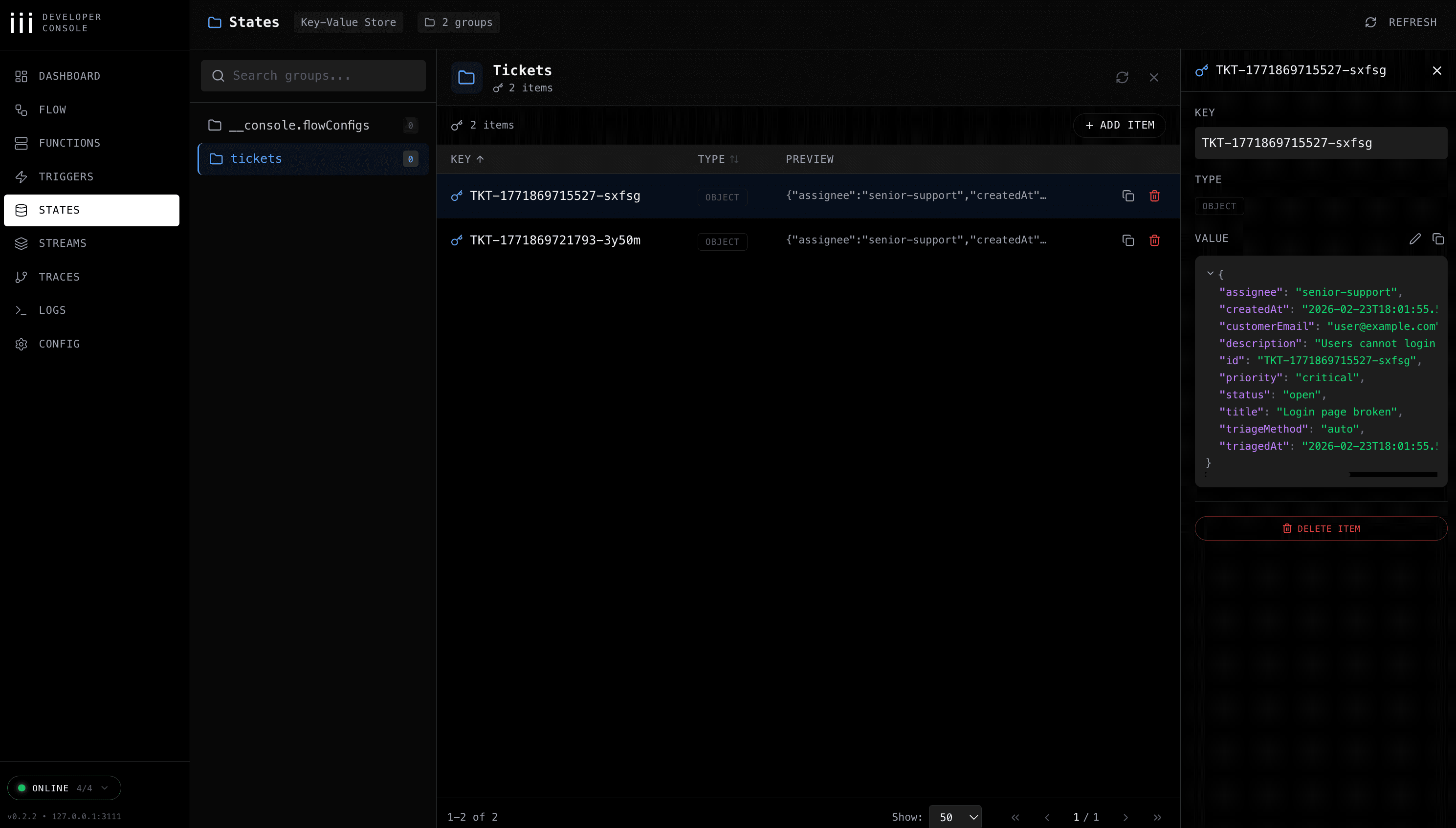
Inspecting State in the iii Console
The iii development console lets you browse, inspect, and manage state groups and individual entries in real-time:
Remember
- Organize data using groupId (like
orders,users,cache) - Each item needs a unique key within its groupId
- Use
stateManager.list(groupId)to retrieve all items in a group stateManager.set()returns{ new_value, old_value }(StreamSetResult)- Use
stateManager.update()for atomic operations like increment/decrement - State works the same across TypeScript, Python, and JavaScript
- Clean up state when you're done with it
- Use databases for permanent data, state for temporary workflow data
State Triggers
Steps can react to state changes automatically using state triggers. This enables powerful reactive patterns — for example, triggering a step when a parallel merge completes, without polling or manual coordination.
Project Structure
Learn about Motia's project structure, file organization, and automatic step discovery system for building scalable workflow applications.
Real-time Streams
Push live updates from your backend to connected clients without polling. Perfect for AI responses, chat apps, and long-running tasks.